Your clients
Comment like they talk
A review link opens the feedback bar on the site, nothing to install. Clients see plain words only, never agents, code or your internal threads.
- Just comment, no AI step
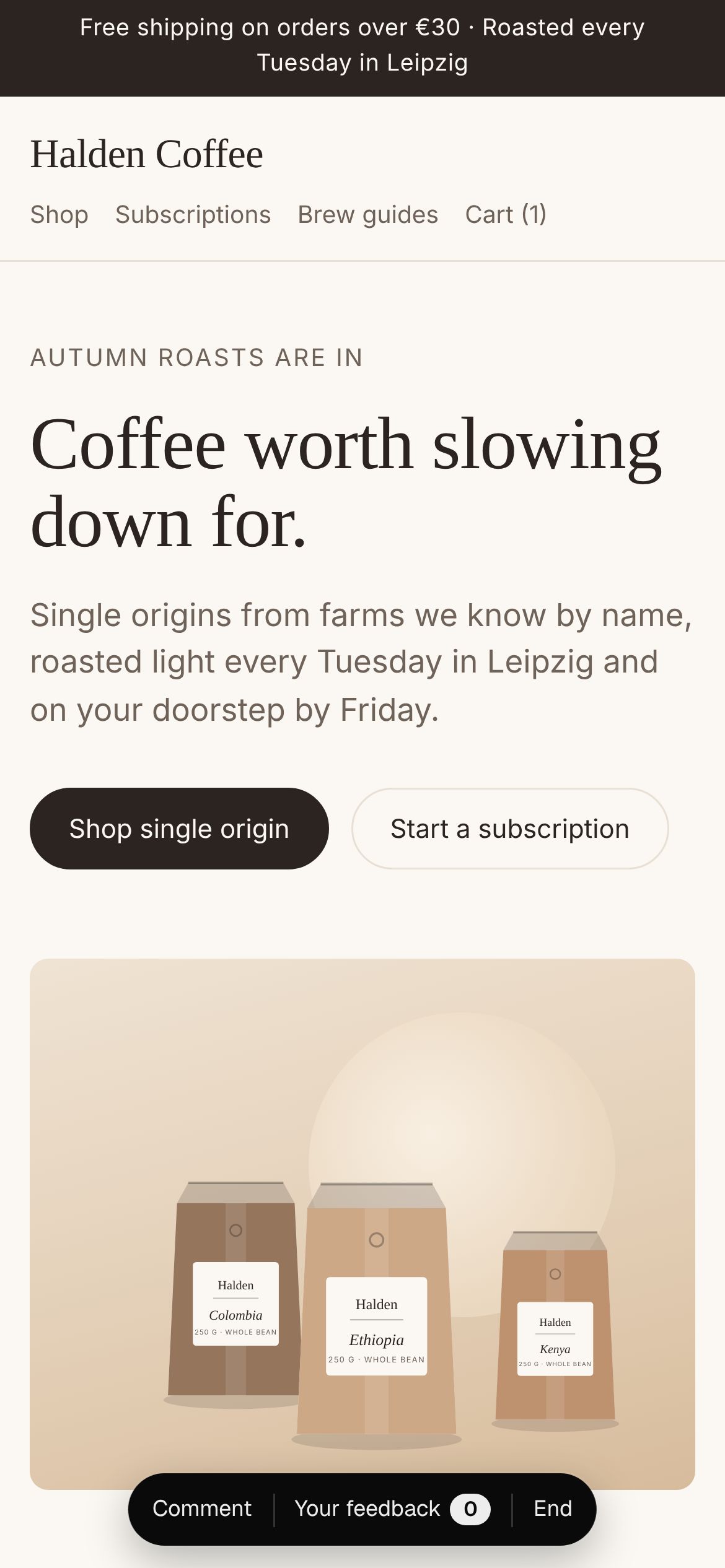
- Works on a phone
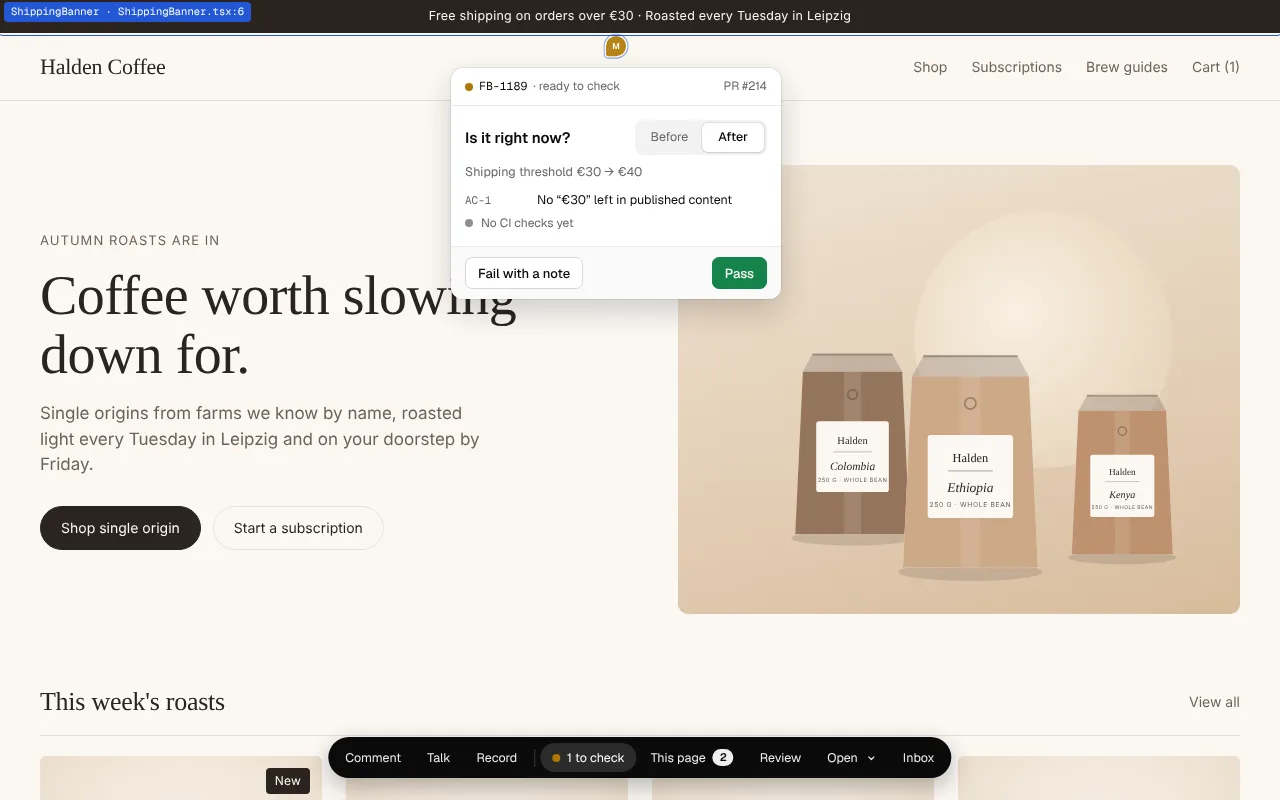
- They check the fix
Your clients and your team pin what's wrong right on the site. pinprompt turns every note into a spec your coding agents pick up over MCP, and brings the fix back to the person who asked.
Recorded on the real extension and app, with the Halden Coffee demo shop.
Works with
Built for agencies
Clients say what's wrong in their own words. Your team triages once. Your agents get something they can actually fix.
Your clients
A review link opens the feedback bar on the site, nothing to install. Clients see plain words only, never agents, code or your internal threads.
Your team
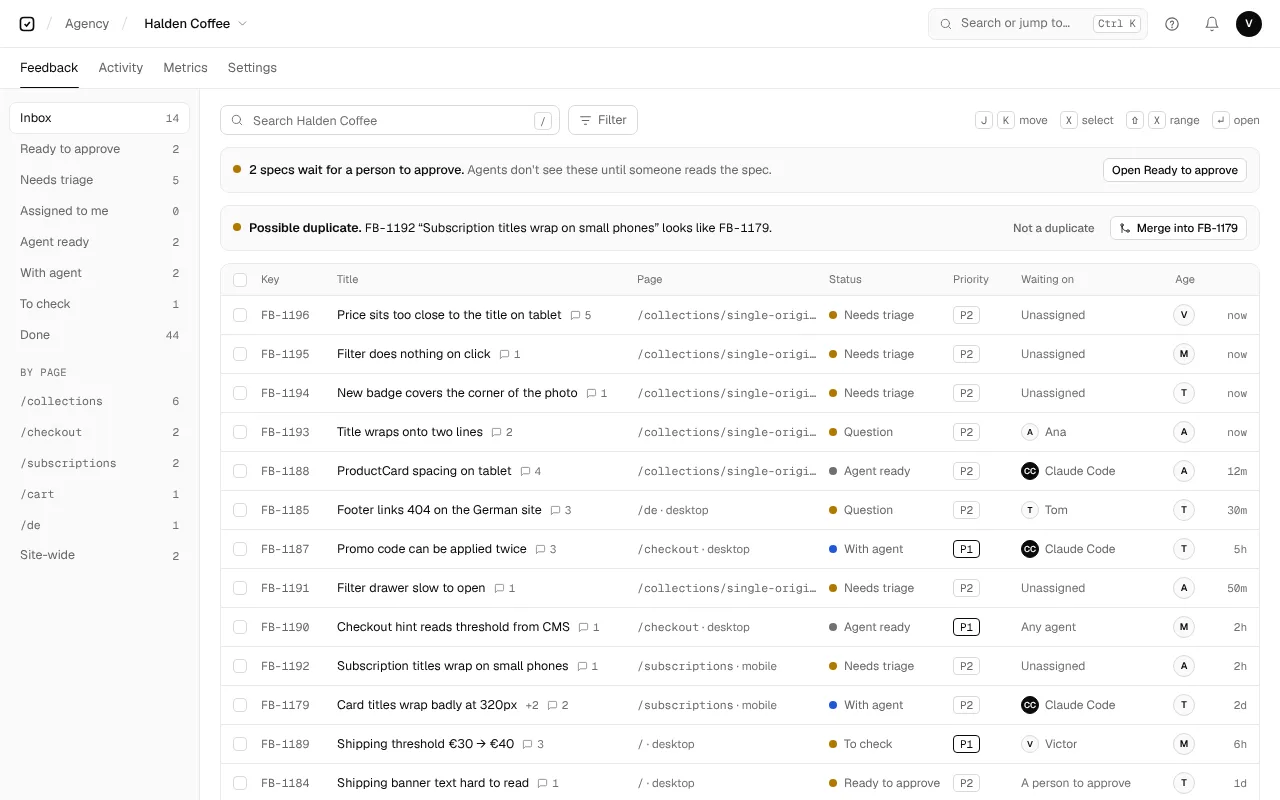
Items land in one inbox with the evidence attached. Send each to an agent or keep it for people, and see who every item is waiting on.
claim_feedback FB-1188
AC-1 title→price gap = space.4
src ProductCard.tsx:18
ask_reporter
“Tablet only, or all sizes?”
← Tablet only
attach_run PR #215
✓ ready for Ana to check
Your agents
A target, the evidence and numbered checks, over MCP. Agents ask the reporter when they're unsure and hand back a pull request with its preview.
How it works
The same four steps for a typo, a spacing bug or a broken button.
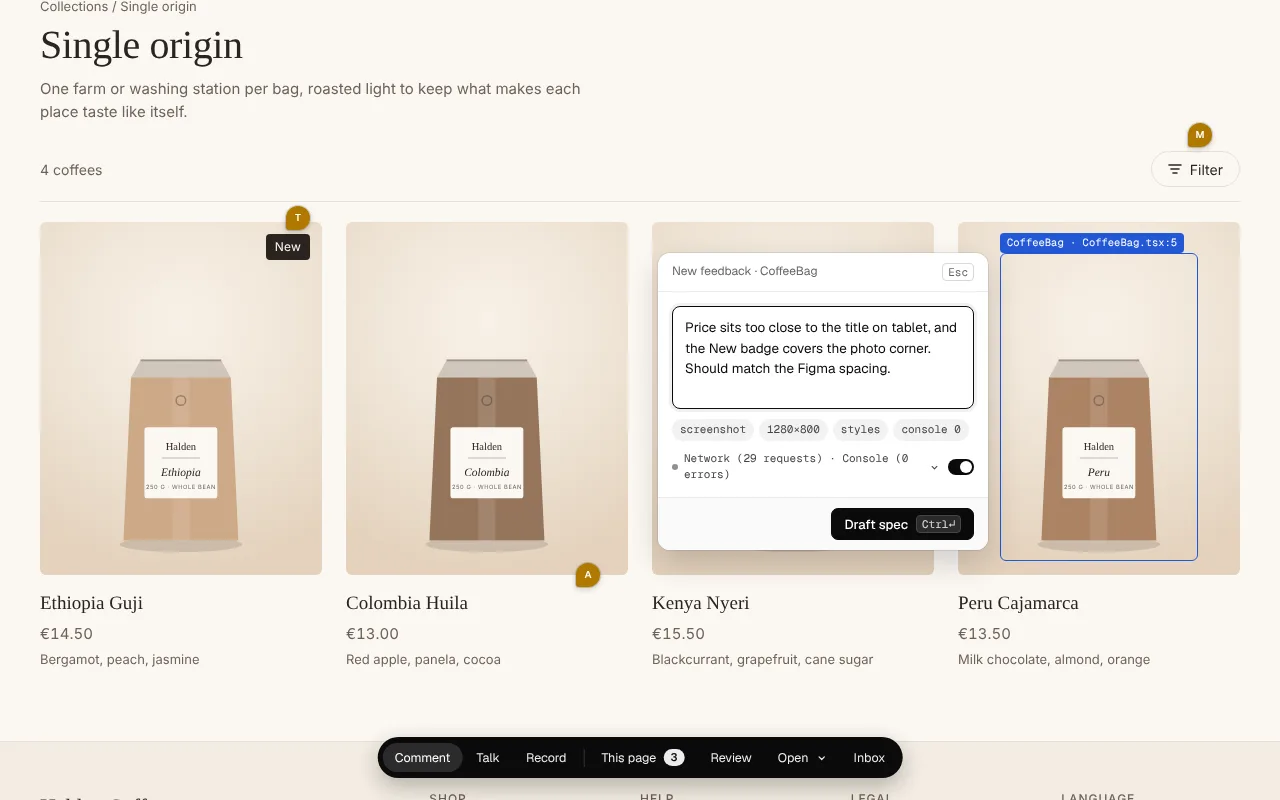
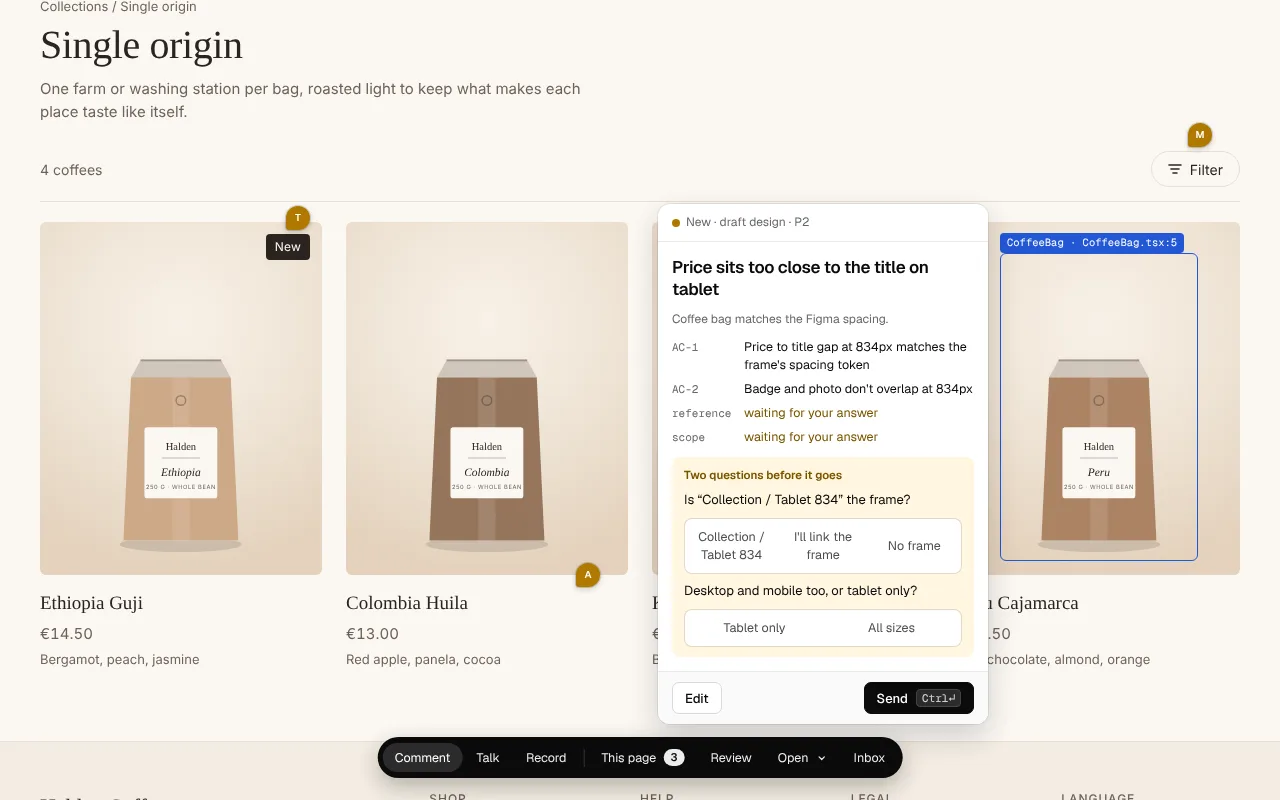
The pinprompt toolbar on the demo shop, with a product card picked and a note being written
Two ways to send
Pick per project, for clients or for everyone. Each reviewer can switch for themselves.
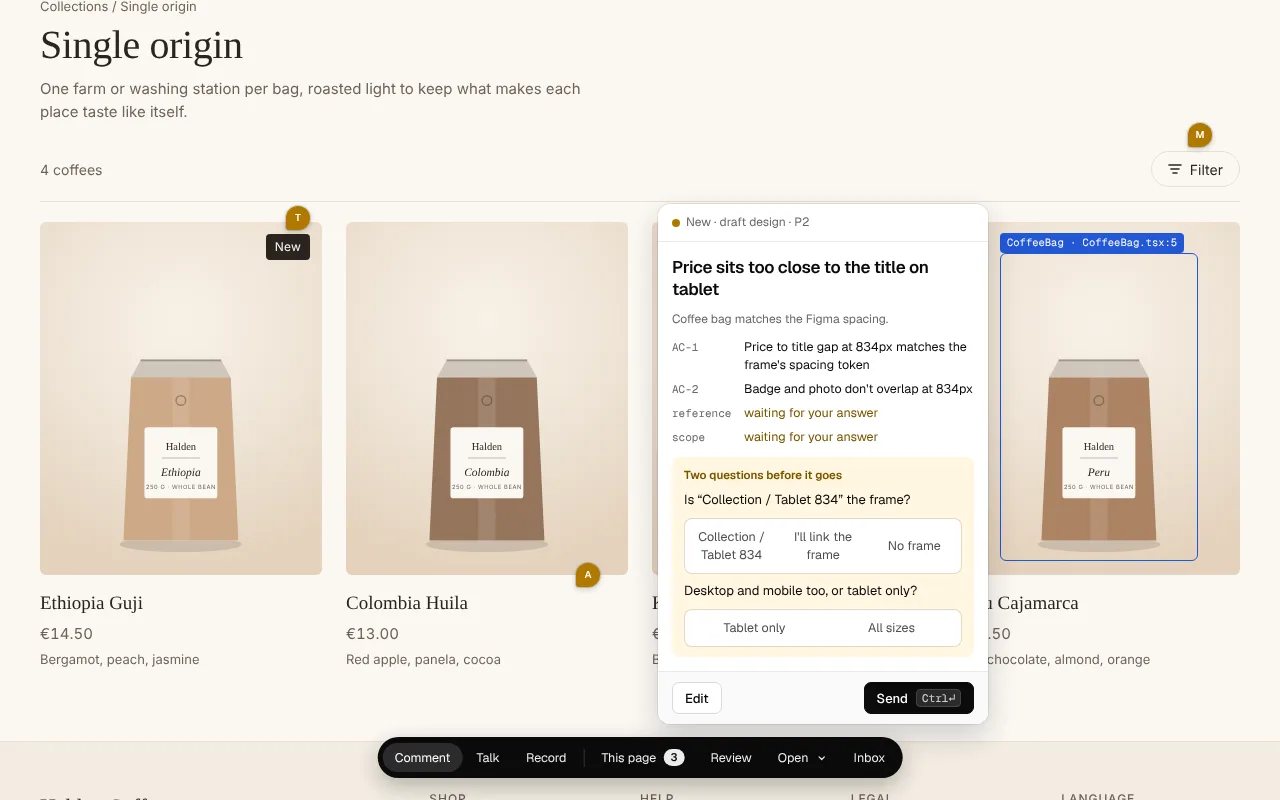
The note becomes a draft spec with checks before it goes, and AI asks up to two questions so nobody has to chase the reporter later.
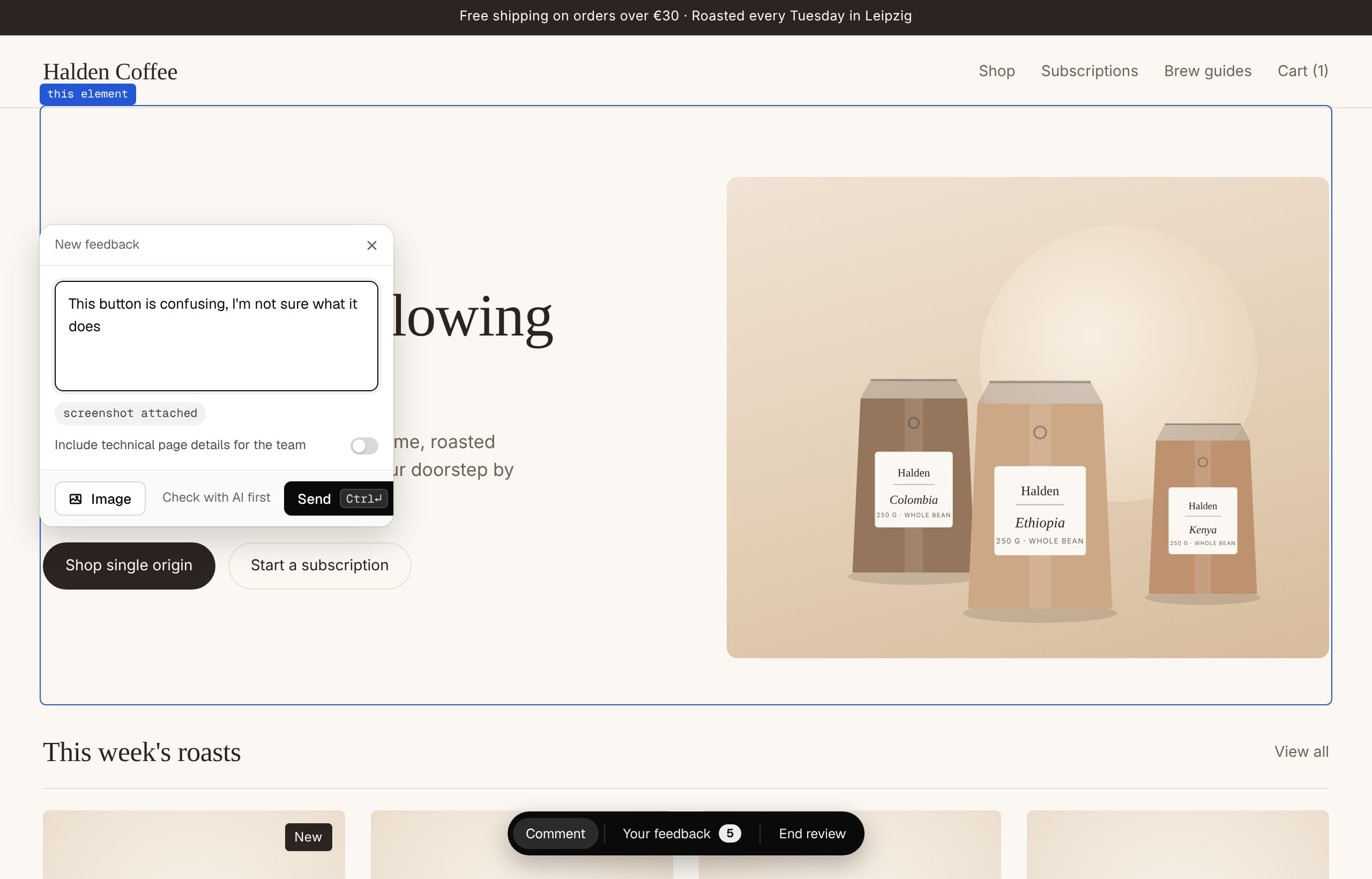
Pin, type, Send, done. No draft to read and no questions. pinprompt writes the spec afterwards, so your agents still get a usable item.
Specs
People write the way they always do. Agents get a target, the evidence and checks they can run. Three samples from the demo shop:
Ana, design, voice note
“the product cards on the collection page feel super cramped on tablet… price is jammed right under the title, and the New badge eats the corner of the photo. it should breathe like in figma.”
For coding agents
pinprompt runs an MCP server. Claude Code, Cursor, claude.ai or any other MCP client signs in through the browser, picks a project or all of them, and works the queue like a teammate with a scoped role.
$ claude mcp add --transport http pinprompt https://pinprompt.example/api/mcp
> take the next pinprompt item and fix it
  pinprompt · list_feedback  status=agent_ready
  pinprompt · claim_feedback FB-1188
  pinprompt · get_spec       feedback-spec/v1
    ProductCard spacing on tablet
    AC-1 price to title gap is space.4 at 834px
    AC-2 badge inside the image, inset space.3
    src/components/catalog/ProductCard.tsx:18

  edit ProductCard.tsx
  - <p className="mt-1">{price}</p>
  + <p className="mt-4">{price}</p>

  pinprompt · attach_run    PR #215 · pr-215.halden-staging.app
  ✓ FB-1188 is ready for Ana to check
Integrations
None is needed to start: the feedback bar and an agent are enough. Turn the rest on per project.
One MCP endpoint with browser sign-in. Any agent that speaks MCP works.
Pull requests, CI and preview links come back to the pin they fix.
Items become issues or cards where your team plans. Status and comments sync both ways.
Content fixes become CMS drafts. New items and sign-offs reach your channels.
Privacy
Feedback on real sites catches real data. pinprompt keeps it out before anything leaves the browser.
Form values, emails, phones, cards, IBANs and anything your site marks as private, before the screenshot.
Every capture's text is scanned for emails, phones, cards, IBANs and tokens.
Requests and status codes only. No headers, cookies or bodies.
Evidence goes 90 days after an item closes, by default.
Pricing
Clients and agents are free on every plan, and every plan includes AI drafting up to a monthly allowance.
For a freelancer or one client site.
$0forever
No card needed
For small agencies.
$29a month, billed yearly
or $35 billed monthly
For agencies with many client sites.
$79a month, billed yearly
or $95 billed monthly
Every new workspace starts with 14 days of Agency, no card needed. Then pick Studio or Agency, or stay on Free. Nothing is deleted.
Custom Larger agencies, invoice billing, a DPA. Any number of seats and projects.
Talk to usPrices before tax, the same numbers in US dollars and euros. Yearly saves about two months.
Any agent that speaks MCP. Claude Code, Cursor and claude.ai are set up from Settings → Agents; other MCP clients connect to the same endpoint. Agents sign in through the browser, claim items, ask the reporter when something is unclear and attach their pull request. They never merge, close or approve.
No. You can send them a review link and they get the feedback bar right on the site, in Chrome or Safari, on a computer or a phone. Your team, or clients who prefer it, can use the Chrome extension. Clients see plain words only: no agents, code or internal threads.
No. pinprompt turns feedback into specs your own agents work on, and brings the fix back to the person who asked. Fix rounds, where pinprompt runs Claude on a whole review, are an optional add-on that is off by default and still experimental.
Form values, emails, phone numbers, card numbers and anything your site marks as private are masked in the browser before a screenshot is taken. The server checks every capture again, network logs have no headers, cookies or bodies, and by default evidence is deleted 90 days after an item closes.
There's a free plan, and paid plans for bigger teams. You pay for your own team: clients and agents are free on every plan, and every plan includes AI drafting up to a monthly allowance. The plans and prices are on the pricing page.
Sign in with your work email and your agency gets its own workspace. Clients and agents are always free.