Agents
One connection for all your projects Beta
Connect Claude (claude.ai or Claude Code) to pinprompt once and work on every project you're on. Switch projects with list_projects and use_project, for feedback and setup, with your own role checked in each project.
Beta: built and tested end to end, with little real use so far. See What works today.
If you work on several clients' projects, you don't need a pinprompt connection for each one. Sign in once with All my projects and Claude reaches every project you're on in your workspace. Ask it to "show what's waiting on Northwind", "switch to Halden and fix the top item" or "set up a project for Acme", all in the same chat.
Connect
The MCP server lives at https://<your pinprompt>/api/mcp. You sign in in the browser, so there's no token to paste.
- claude.ai (and the desktop and mobile apps): Settings → Connectors → Add custom connector, name it pinprompt, URL
https://<your pinprompt>/api/mcp, Connect. - Claude Code:
claude mcp add --transport http pinprompt https://<your pinprompt>/api/mcp, then/mcp, pick pinprompt, Authenticate.
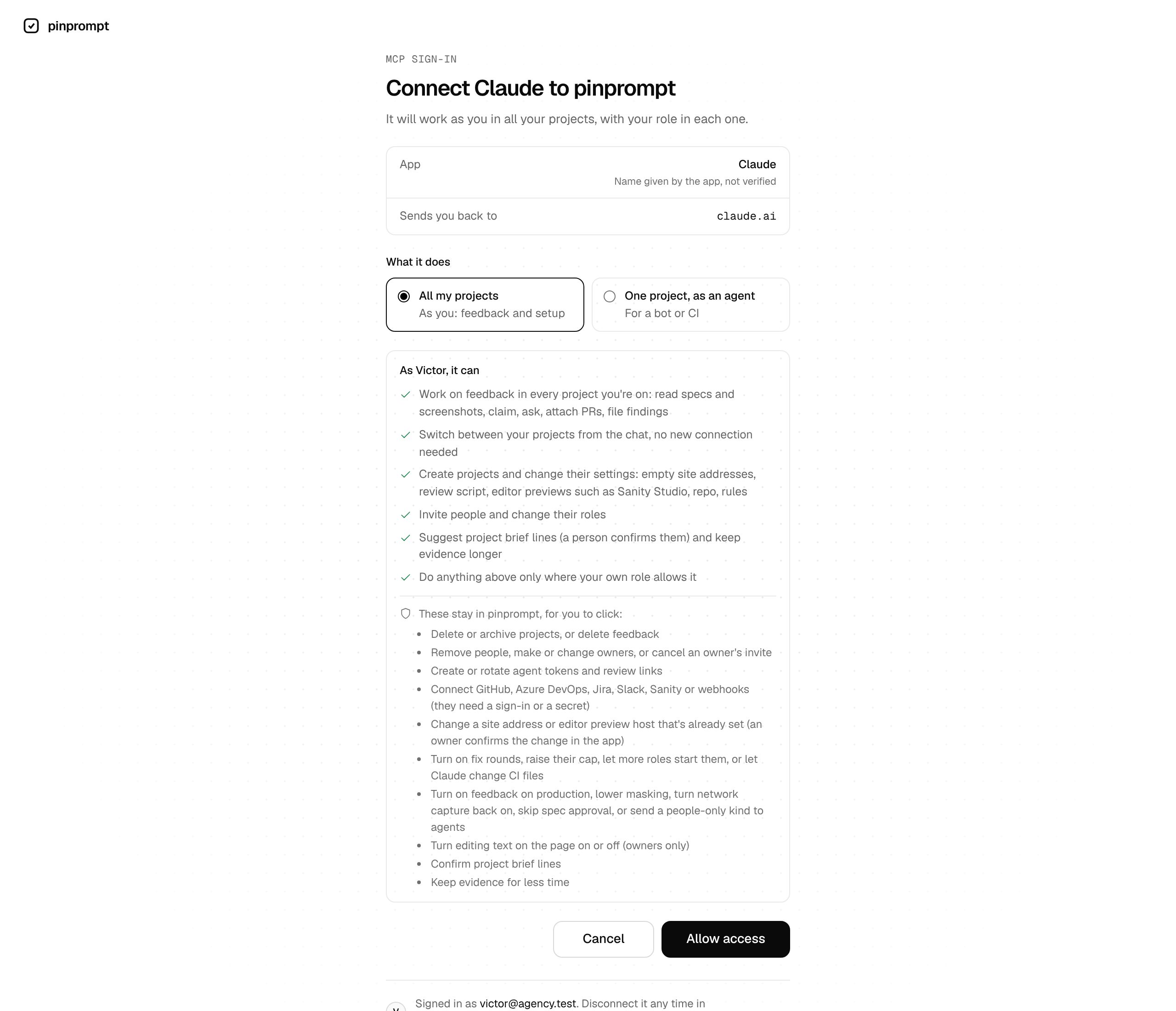
On pinprompt's sign-in page, All my projects is already picked. Check what it lists, then Allow access.
Anyone on a project's team can pick it: owners, developers, PMs, designers and QA. Clients can't. Pick One project, as an agent instead for a bot, CI or a shared machine that should only ever see one project under a name of its own.
Switch projects
| Ask for | Tool |
|---|---|
| Which projects this connection reaches, your role in each, and which is current | list_projects |
| Work on one project from now on | use_project with its key, slug or name (NW, northwind-clinic, Northwind) |
| Back to all of them | use_project with null |
| Feedback in one project, just this once | list_feedback with project |
With no project picked, list_feedback covers all your projects, and item keys (NW-12) show which project each item is in. Once you pick one, list_feedback, get_project, create_feedback and the setup tools use it until you pick another. Naming a project on a tool always wins. Tools that take an item key (get_spec NW-12, claim_feedback NW-12) work in any of your projects.
The pick is remembered for that connection and survives restarts. Your other connections, such as Claude Code on another laptop, keep their own. Coding agents pick the project whose repo they are working in: the Claude Code plugin's /pinprompt:next does this first.
Who it acts as
It acts as you, with your role in each project, checked by the server every time:
- A developer can claim and fix feedback in a project, and a QA tester or PM can do what their role allows there.
- In a project where you're a client, it can't work on feedback.
list_projectssays so next to that project. - If you leave a project or your role changes, the connection follows at once. If the project you picked is gone (you left it, or it was archived), the next answer says so and the connection goes back to all your projects. Filing a finding or a setup change is refused then rather than landing in another project.
- The agent loop works the same as for a named agent: list, read the spec, claim, reply in the item's thread (
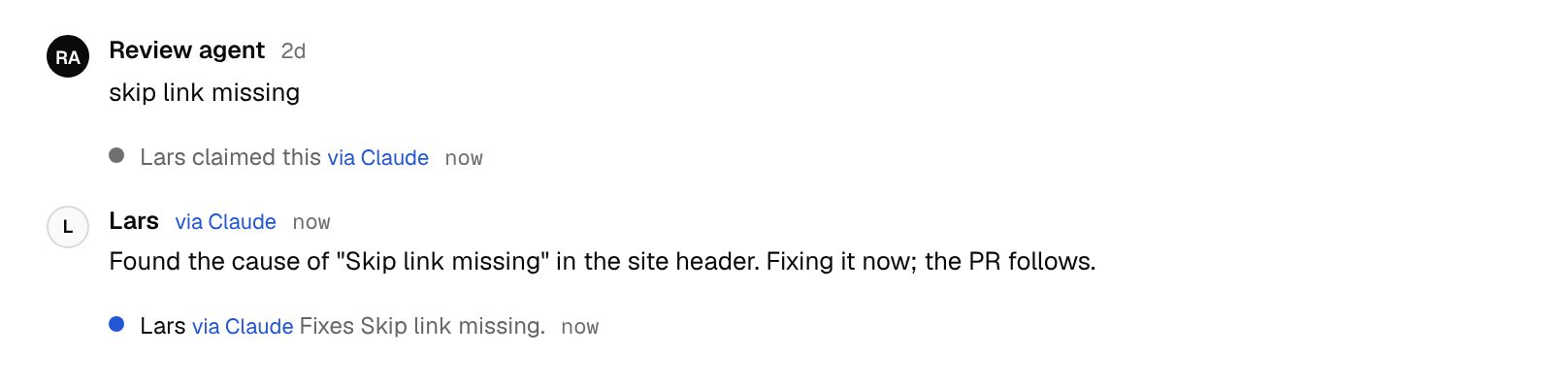
post_update), ask the reporter, attach the PR for the reporter to check. Only people mark items done. - Everything it writes is marked as Claude's: thread replies and questions show Lars via Claude, to the team and to clients alike, and the project's Activity says "via Claude". A coding agent connected with One project, as an agent shows under its own name instead.
Set projects up from the same connection
The same connection also creates and configures projects, invites people and suggests project brief lines, with the same limits as before: deleting, lowering protection, anything that costs money or needs a secret, and changing a site address that's already set stay in the app. A new project becomes the current one, so the next requests need no project name. Everything it can and can't do: Set up from Claude.
See and stop it
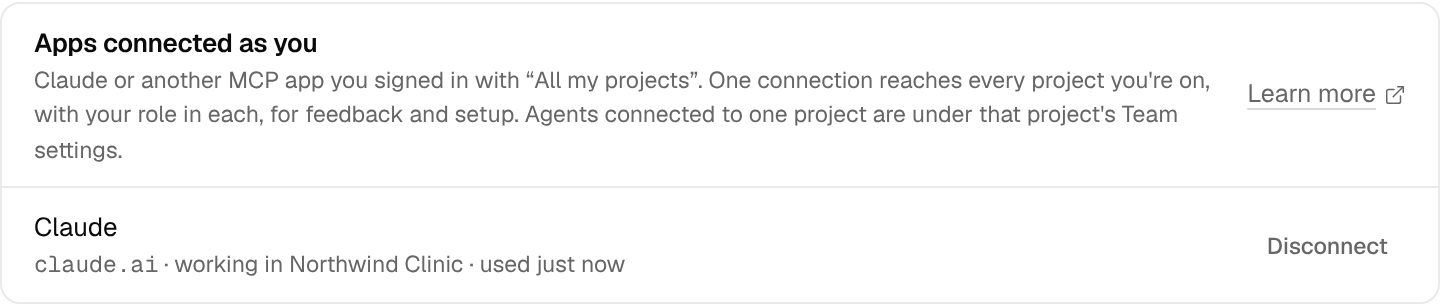
Account → Apps connected as you lists each connection, the project it's working in, when it was last used, and Disconnect, which ends it at once. Agents connected to one project are under that project's Settings → Agents.
A pasted personal token (Authorization: Bearer pp_…) reaches all your projects the same way and also remembers its use_project pick. It gets the feedback tools only, not the setup tools. What it writes shows the token's name, for example Lars via token laptop. Outside MCP, in the REST API, a personal token only makes the extension's calls (what the extension's token can do).