Reference
GitLab integration
Connects a pinprompt project to one GitLab project (a repository): merge requests and their pipelines show on the items they fix, review app deployments become the fix's preview link, the project brief can read the code, and optionally items become GitLab issues. It works with gitlab.com and any self-managed GitLab, including one at a sub-path such as https://example.com/gitlab. The address must start with https://, because the token is sent to it (plain http:// or a private network address only on a local run, or on a server with PINPROMPT_OUTBOUND_ALLOW_PRIVATE=1, e.g. a GitLab only reachable over a VPN). It is an event-log subscriber: turning it off changes nothing else, and nothing in GitLab ever closes an item (people sign off in pinprompt).
Status: Experimental, in the next release (after 0.4.5). Tested end to end against a stand-in GitLab API; not yet connected to a real GitLab. Try it on a test project first.
What you need
A token from someone in the GitLab project, with the api scope:
- a personal access token (User settings → Access tokens, or
<GitLab address>/-/user_settings/personal_access_tokens): issues and comments from pinprompt appear as you; - or a project or group access token (Settings → Access tokens on the project or group): they appear as its bot. Pick the Maintainer role.
pinprompt creates a webhook on the project when it connects, so changes come back. That needs Maintainer (or Owner) on the project. Pick an expiry you'll remember; when it expires, use Change with a new token.
No server setup is needed.
Per project
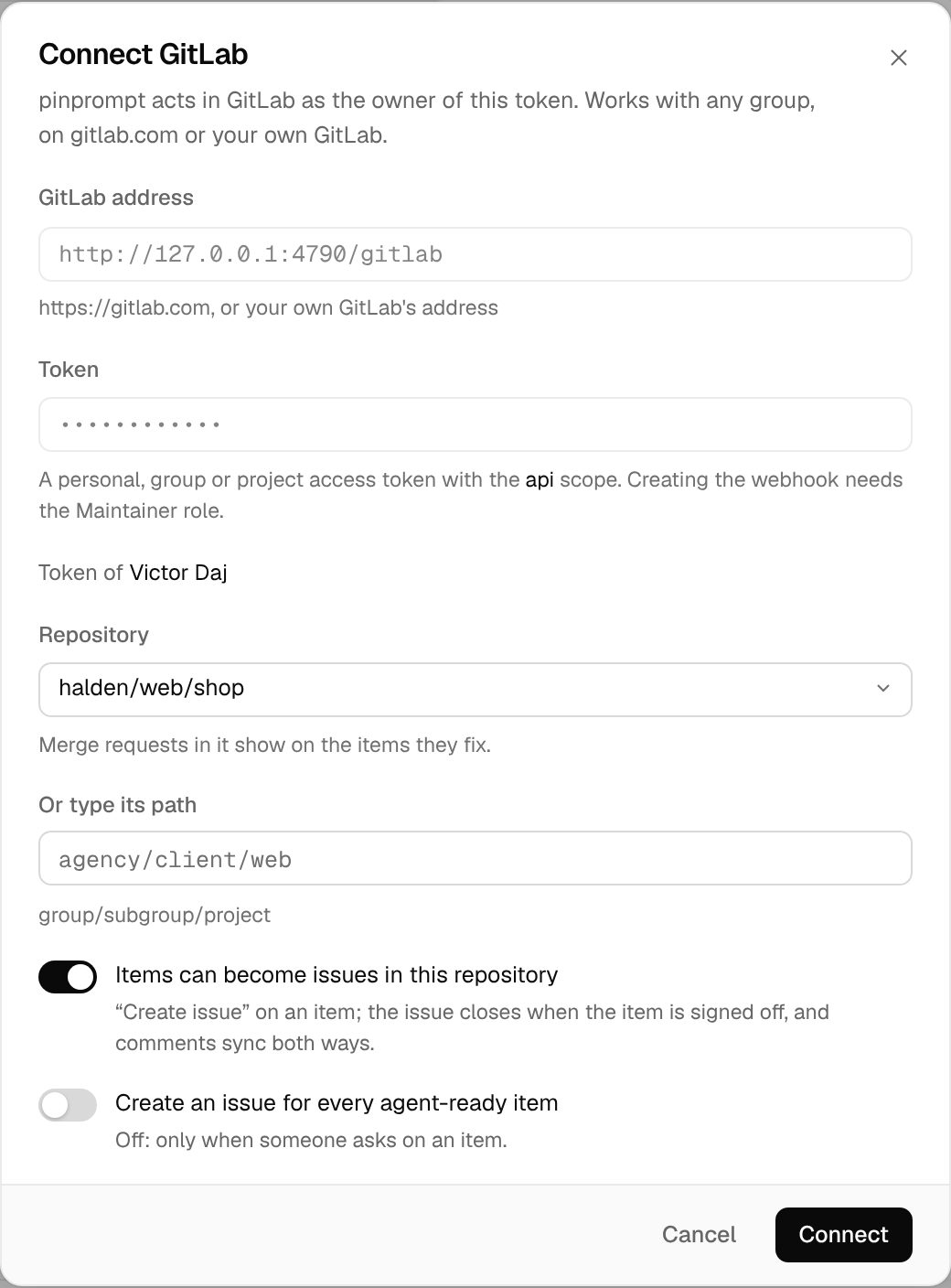
Owner or developer: Settings → Integrations → Connect GitLab. Paste the GitLab address (gitlab.com is filled in) and the token, then pick the repository from the list (projects where the token has Developer or more) or type its path (group/subgroup/project). Turn on Items can become issues in this repository if you want issues; it is off by default, since many agencies track work in Jira or Linear.
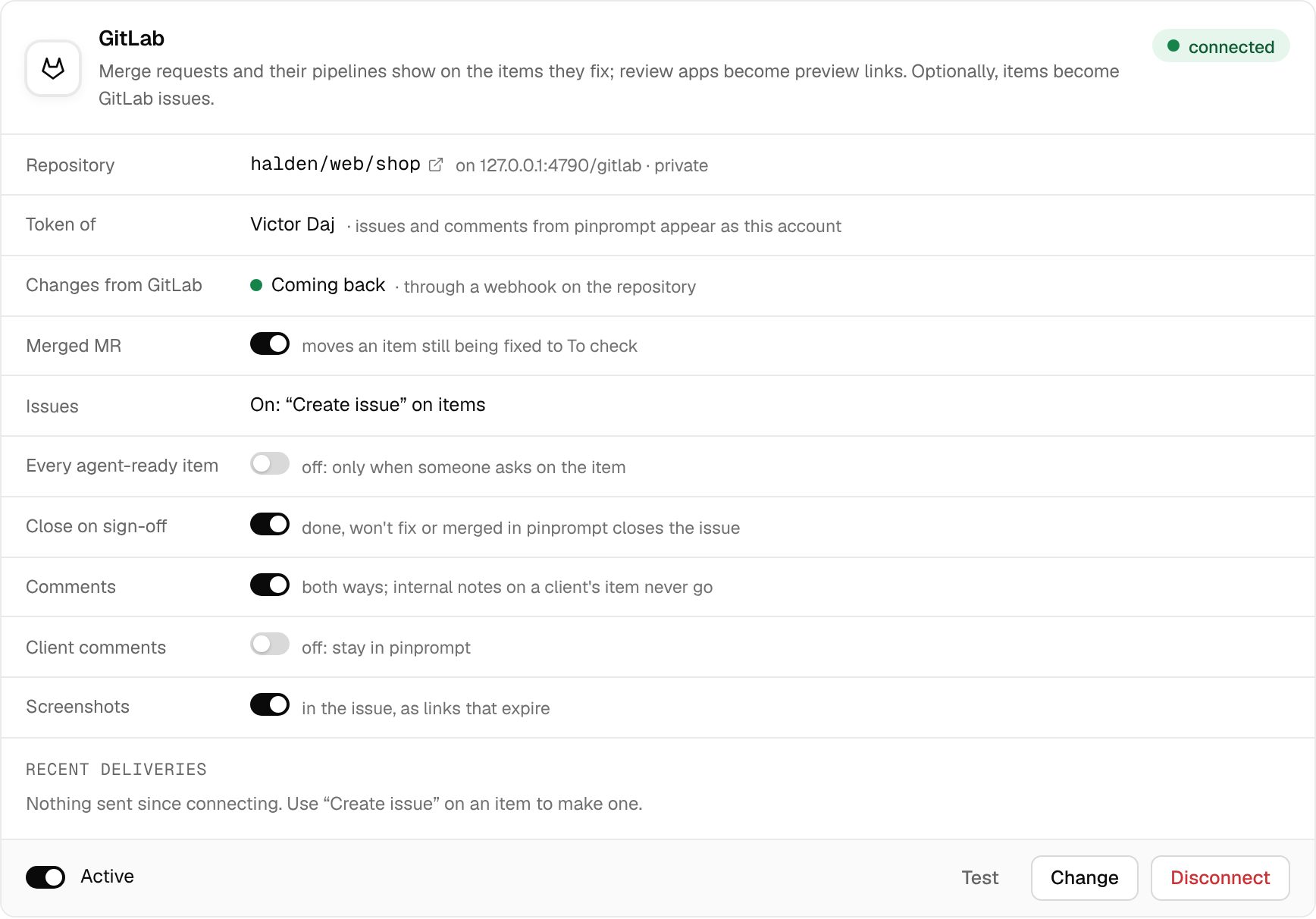
The card shows "not listening" when the webhook couldn't be created, with GitLab's reason and Try again. Change takes a new token, another repository, or issues on or off; the item links stay. The token and the webhook's secret only change this way, never through the generic settings API.
Merge requests
| GitLab | pinprompt |
|---|---|
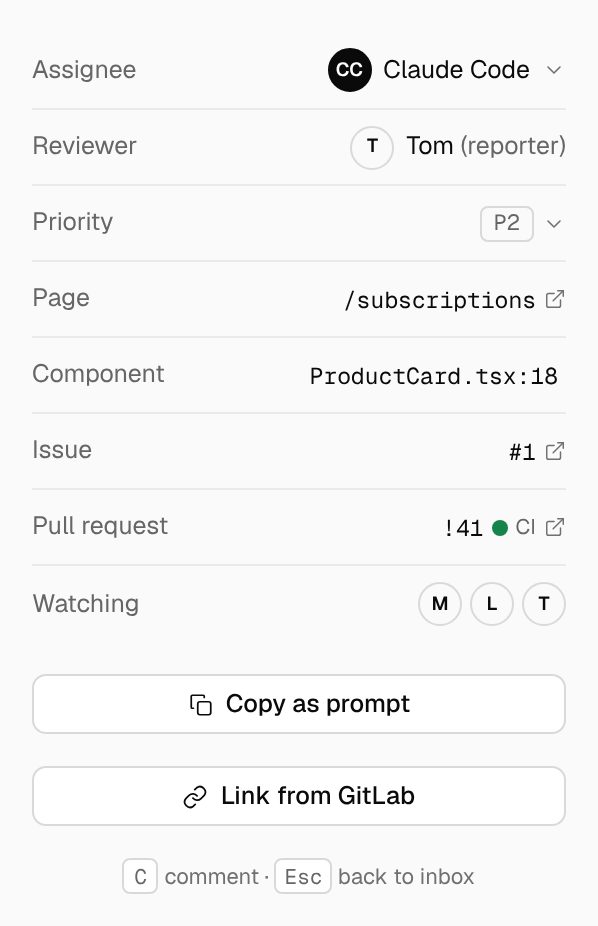
An MR is opened or updated whose title, description or source branch names an item key (FB-12) | Linked on the item as !41. When an agent or developer claimed the item (With agent), it is attached as their run and the item moves to To check. Unclaimed items only get the link and a note. A draft MR links but doesn't attach. |
| The MR's pipeline runs or finishes | Its CI shows next to the MR: passing, failing or running |
| A deployment succeeds to an environment that isn't production and has a URL (a review app) | The fix's preview link, so the reporter checks it there |
| The MR is merged | A note "MR !41 was merged in GitLab"; an item still being fixed moves to To check (switch Merged MR). The item still waits for someone to check it. |
| The MR is closed without merging | A note |
Link on an item takes !12 or an MR link for MRs nothing named. Review agents find items by MR URL (items_for_pr), subgroups included.
Preview links come from GitLab environments: a job with environment: { name: review/$CI_COMMIT_REF_SLUG, url: https://… }. A deployment to the production tier never counts. Vercel or Netlify on GitLab report previews as MR comments, which pinprompt doesn't read yet; the agent can still pass the preview URL to attach_run.
Project brief: Draft from repo reads the repository's default branch (or the project's base branch) when GitHub or Azure Repos isn't connected.
Nothing from the MR (title, description, branch) is copied into pinprompt: it is only matched against.
Issues (optional)
| pinprompt | GitLab |
|---|---|
| Create GitLab issue on an item (or, with the switch on, every agent-ready item) | An issue [FB-12] Title with the spec, a link back and the labels pinprompt, kind and priority |
Link with #12 or an issue link | Checked in GitLab, then linked (one item per issue) |
| Spec revised | Title and description updated |
| Done / Won't fix / Merged | A comment, then the issue is closed (switch Close on sign-off) |
| A person's or agent's comment | A comment "Name commented on FB-12 in pinprompt:" |
| GitLab | pinprompt |
|---|---|
| The issue is closed or reopened | The link shows it, and a line "#12 was closed in GitLab by Ana. The item stays open until someone checks it here." |
| A comment | On the item as "Ana Silva (GitLab)", unless pinprompt posted it. Only from a private or internal project: anyone signed in can comment on a public one. |
Screenshots and reference images go into the issue only for a private or internal project with Screenshots on, as links that expire after 30 days (PINPROMPT_EVIDENCE_LINK_DAYS). On items a client reads, internal notes never go, and a client's own comments go only with Client comments on.
Security
- The token is stored encrypted with
PINPROMPT_SECRET_KEYand never shown again. - Webhook calls go to
<base>/api/hooks/gitlab/<integration id>with the secret pinprompt generated for this connection inX-Gitlab-Token. Anything else gets 401. Deliveries are replay-guarded and act only on the connected project. - In production, pinprompt refuses to send the token to plain http or private network addresses unless the server allows them.
Disconnecting
Disconnect forgets the token. Issues and MRs stay in GitLab and items keep their links. Remove pinprompt's webhook in the project's Settings → Webhooks; until then it gets 401.
Not built yet
- Claude fix rounds on GitLab. Fix rounds run only on GitHub.
- GitLab OAuth sign-in instead of a token.
- Preview links from Vercel or Netlify comments on an MR.