For teams
Account, notifications, activity and metrics
Your account and sign-out everywhere, what reaches you by email, the project's activity log, and the numbers that say whether pinned feedback gets fixed faster.
Your account
Open Account from your avatar menu, or search "Account" with Ctrl K.
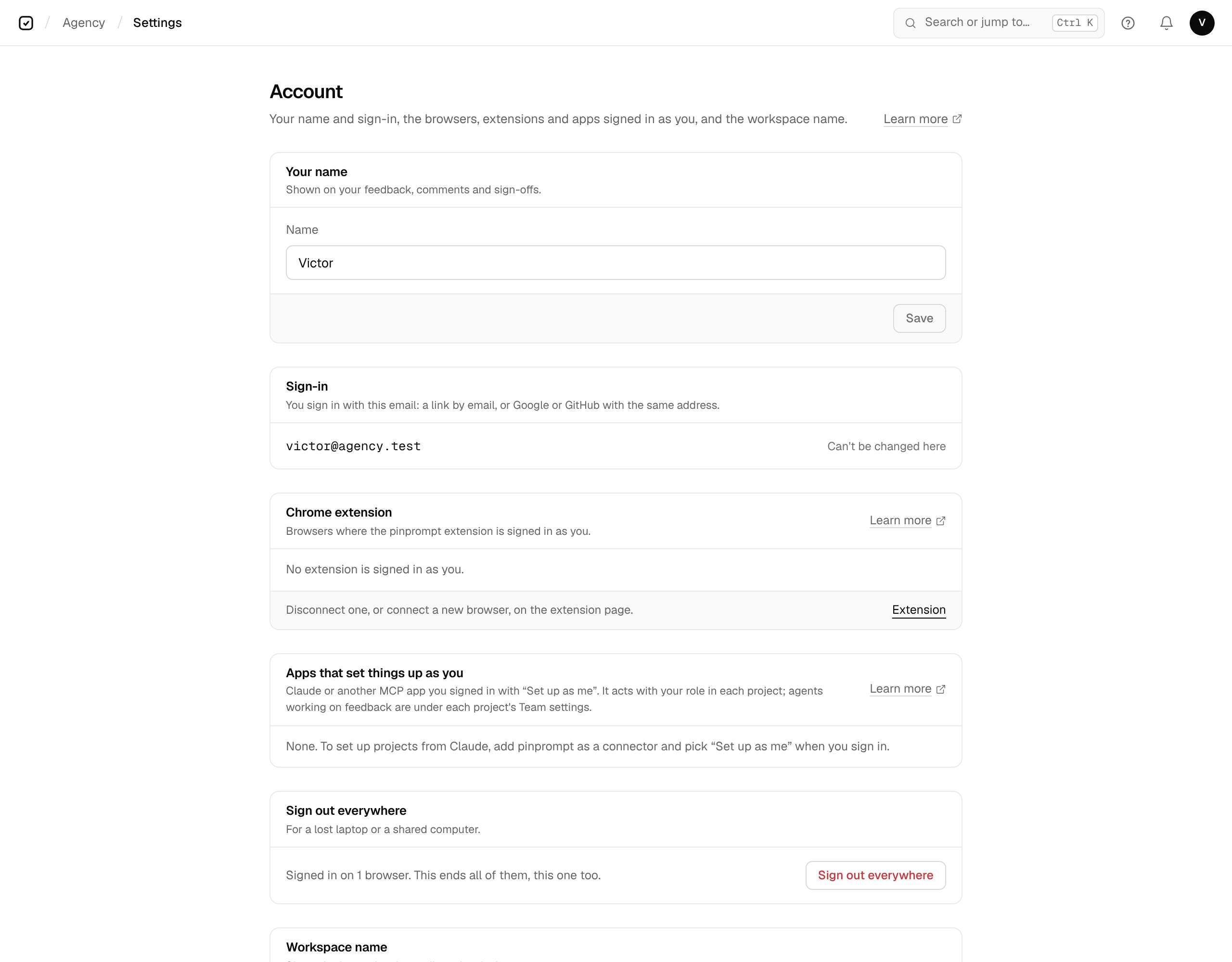
- Your name is shown on your feedback, comments and sign-offs. Change it and save.
- Sign-in shows the email you sign in with: a link by email, or Google or GitHub with the same address.
- Chrome extension lists the browsers where the extension is signed in as you, and when each was last used. Disconnect one on the Extension page.
- Sign out everywhere ends every browser session and extension connection of yours, this one too. Use it for a lost laptop or a shared computer. You sign in again by email; each extension reconnects from its popup.
- Workspace name (workspace owners only) is shown in the top bar, emails and invites.
Notifications
The bell in the top bar shows everything that needs you: mentions, questions about what you reported, fixes ready to check, items assigned to you, comments on items you reported or watch, and sign-offs. Under Email notifications in your avatar menu you choose what also comes by email:
| Choice | What you get by email |
|---|---|
| Only what's for me (default) | Mentions, questions, items assigned to you, and fixes you reported that are ready to check |
| Everything | All of that, plus comments, answers and sign-offs on items you reported or watch |
| Nothing | No notification emails. Sign-in links and invites always arrive |
Clients hear only about their own reports, and the messages say "the team" rather than naming agents.
Activity
Activity in a project lists what happened, newest first and grouped by day: feedback filed, specs drafted and approved, items claimed by agents, pull requests, checks and sign-offs.
Metrics
Metrics answers one question for the agency team: does pinned, prompt-style feedback get fixed on the first try, sooner and for less? Pick a time range at the top.
- First-try fix rate: agent fixes the reporter accepted on the first check.
- Median time to fix.
- Cost per item: AI spend per reported item.
- Open now, with reported and closed in the range.
- Against the BugHerd baseline: the same numbers next to what you entered in the BugHerd baseline card at the bottom of the Metrics tab (owners).
- AI usage: what the model calls cost. pinprompt calls a model when it turns a capture into a spec, rewrites it after an answer, or checks for duplicates.
Metrics, usage and cost are shown to the agency team only, never to clients.
Pilot numbers
Pilot numbers is in beta (since 0.4.5).
Pilot numbers answers two questions about clients while you roll pinprompt out to them: do they start giving feedback on their own, and do they accept the fixes? It's for the workspace's owners only. Open it from Workspace settings → Pilot numbers (/settings/pilot), or search "pilot" with Ctrl K. Everyone else gets a "page not found".
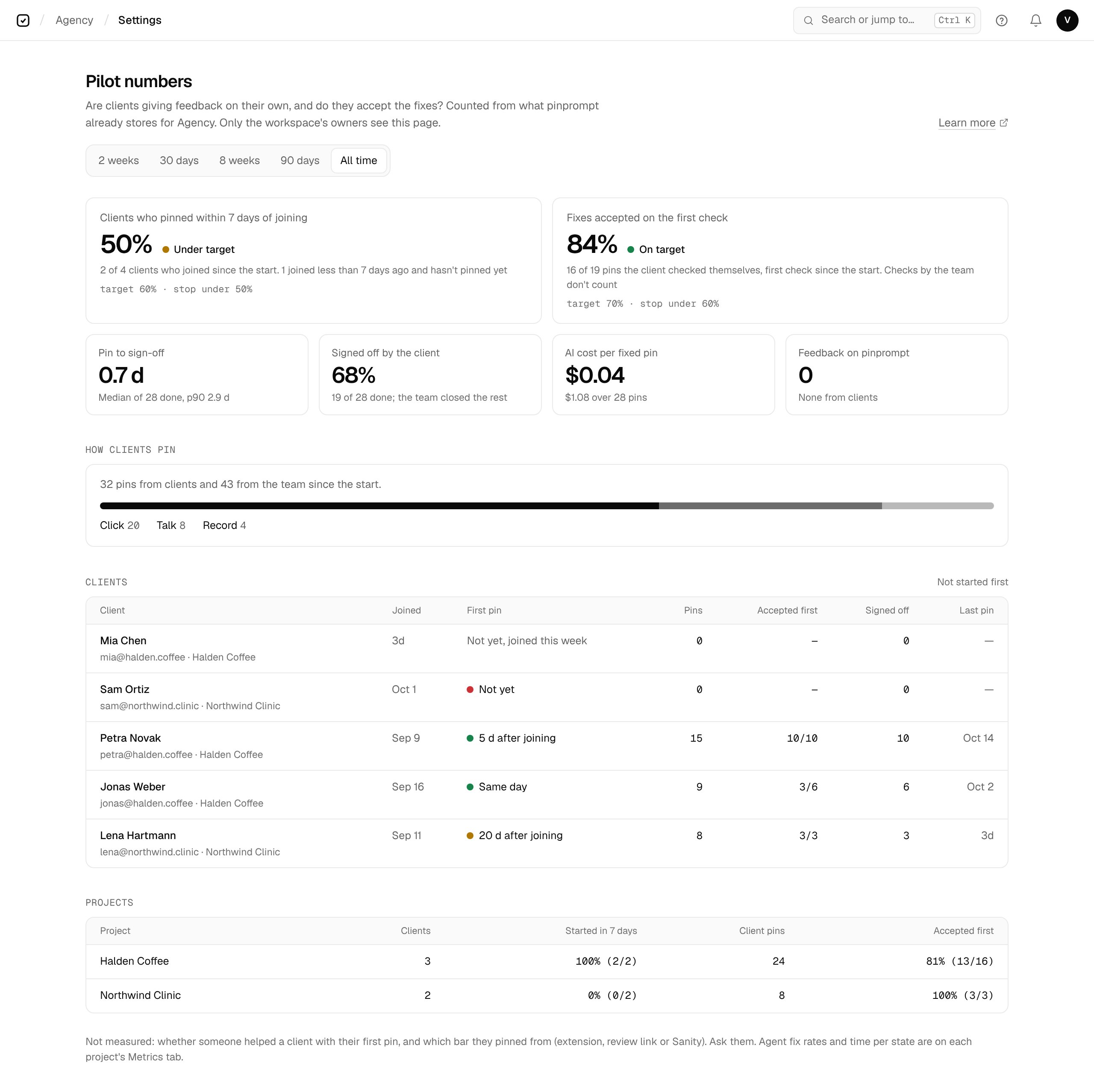
The two goals at the top have a target and a stop line. Green means at or above the target, amber means between the two, and red means under the stop line:
- Clients who pinned within 7 days of joining (target 60%, stop under 50%). This counts clients who joined in the range. Someone who joined less than a week ago and hasn't pinned yet isn't counted either way.
- Fixes accepted on the first check (target 70%, stop under 60%). This counts only the client's own checks: for each pin the client checked themselves, whether their first check was a pass. A pass or fail by the team doesn't count, so a PM closing fixes or QA failing one first doesn't move it.
Below them:
- Pin to sign-off: median days from a client's pin to Done.
- Signed off by the client: how many of those the client checked themselves. The team closed the rest.
- AI cost per fixed pin: what drafting and checking those pins cost. It shows No AI runs when no model was called for them.
- Wait for an AI draft: how long people waited for Claude's draft in the feedback popover, median and 90th percentile, team and clients together. It counts drafts made since this was added; Just comment skips the wait.
- Feedback on pinprompt: how many reports clients sent about pinprompt itself. Only whoever runs the server sees this one (see Feedback on pinprompt). Everyone else sees the number of client pins.
- How clients pin: Click, Talk or Record, and client pins against the team's.
- Clients: one row per client. It shows when they joined, how long it took them to pin, their pins, how many fixes they accepted on the first check, how many they signed off, and when they last pinned. Clients who haven't started are listed first, because they're the ones to call.
Everything is counted from what pinprompt already stores: members, pins, checks and AI usage. Nothing extra is tracked for this page, and it changes nothing. Someone who is a client on one project and on the team on another counts as a client only on the project where they're a client. It can't tell whether someone helped a client with their first pin, or which bar they pinned from (extension, review link or Sanity), so ask them. Agent fix rates and time per state are on each project's Metrics tab.