Reference
Azure DevOps integration
Connects a pinprompt project to one Azure DevOps project: its repository (Azure Repos), so pull requests show on the items they fix and the project brief can read the code, and optionally a work item type (Azure Boards), so items become work items. It works with any organization URL: https://dev.azure.com/your-org, https://your-org.visualstudio.com, or an Azure DevOps Server collection URL such as https://tfs.example.com/tfs/DefaultCollection. The URL must start with https://, because the token is sent to it (plain http:// only works on a local run, or on a server with PINPROMPT_OUTBOUND_ALLOW_PRIVATE=1). It is an event-log subscriber: turning it off changes nothing else, and nothing in Azure DevOps ever closes an item (people sign off in pinprompt).
Status: Experimental (since 0.4.0). Tested against a fake Azure DevOps API; not yet connected to a real organization, so try it on a test project first.
What you need
A personal access token from someone in the Azure DevOps project: User settings → Personal access tokens → New token (<org URL>/_usersSettings/tokens), with the scopes
- Code: Read for pull requests and the project brief,
- Work Items: Read & write for work items (and to list the project's types).
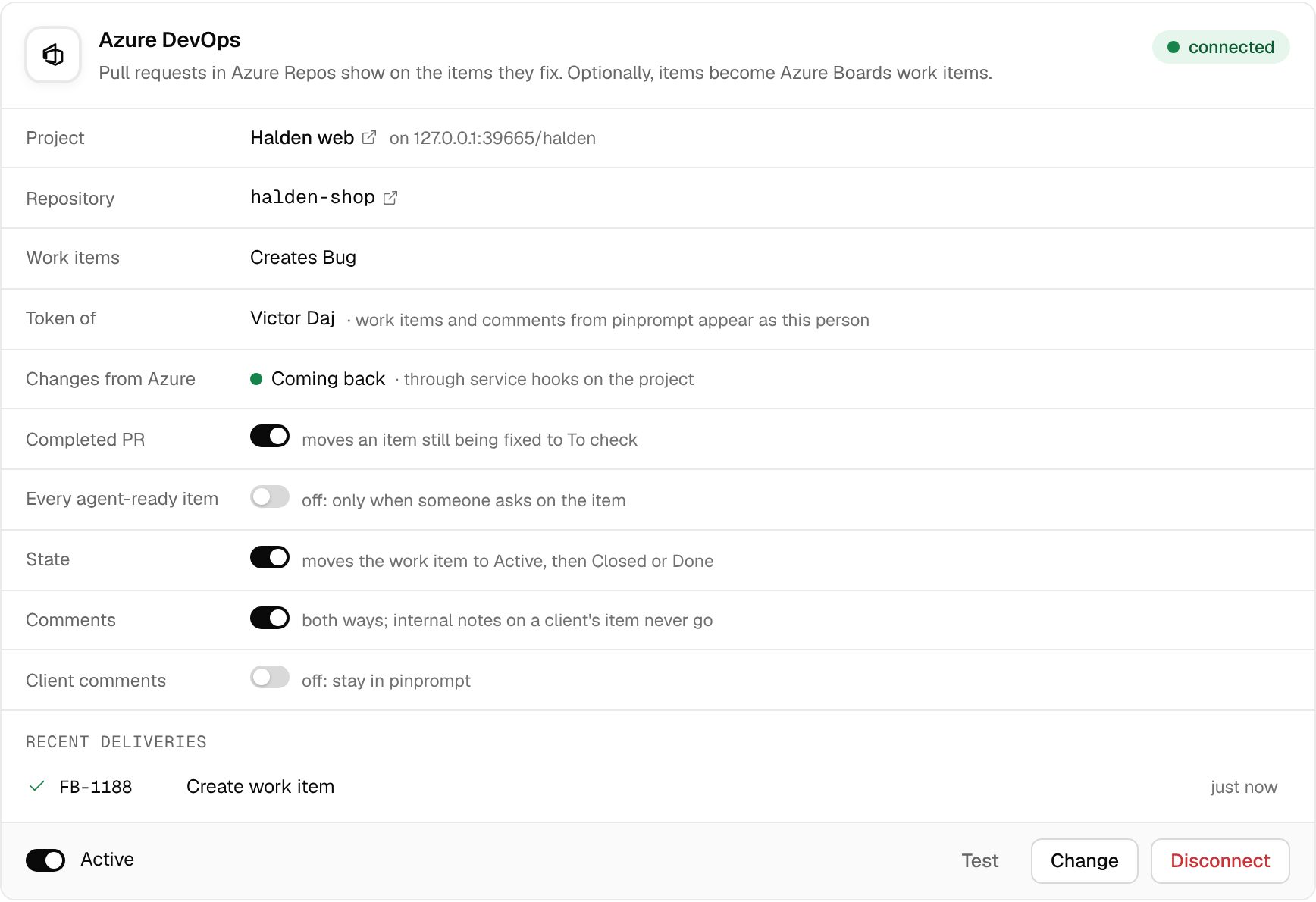
pinprompt creates service hooks on the project so changes come back. That needs the token's owner to be allowed to edit the project's service hook subscriptions: project administrators are. Pick an expiry you'll remember; when it expires, connect again with a new token.
No server setup is needed.
Per project
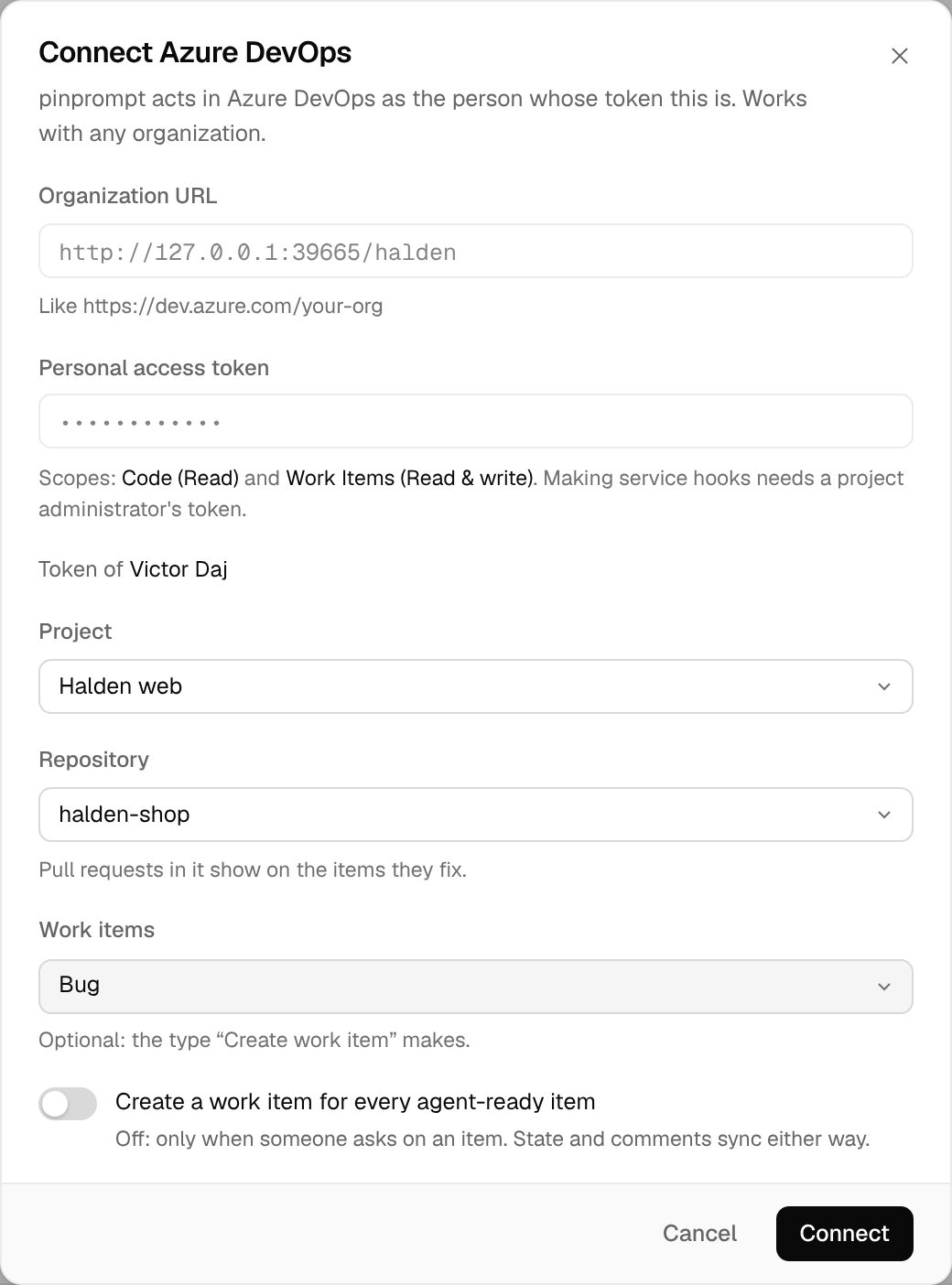
Owner or developer: Settings → Integrations → Connect Azure DevOps. Paste the organization URL and the token, then pick the project, the repository (or None) and the work item type (or None: no work items). Work items and comments from pinprompt appear as the token's owner. The card shows "not listening" or "one way only" when the service hooks couldn't be created, with the reason and Try again. Change takes a new token or another project, repository or type; the item links stay. The token and the service hooks' secret only change this way (pinprompt checks a new token with Azure DevOps first, and re-creates the hooks with the secret), never through the generic settings API.
Azure Repos
| Azure DevOps | pinprompt |
|---|---|
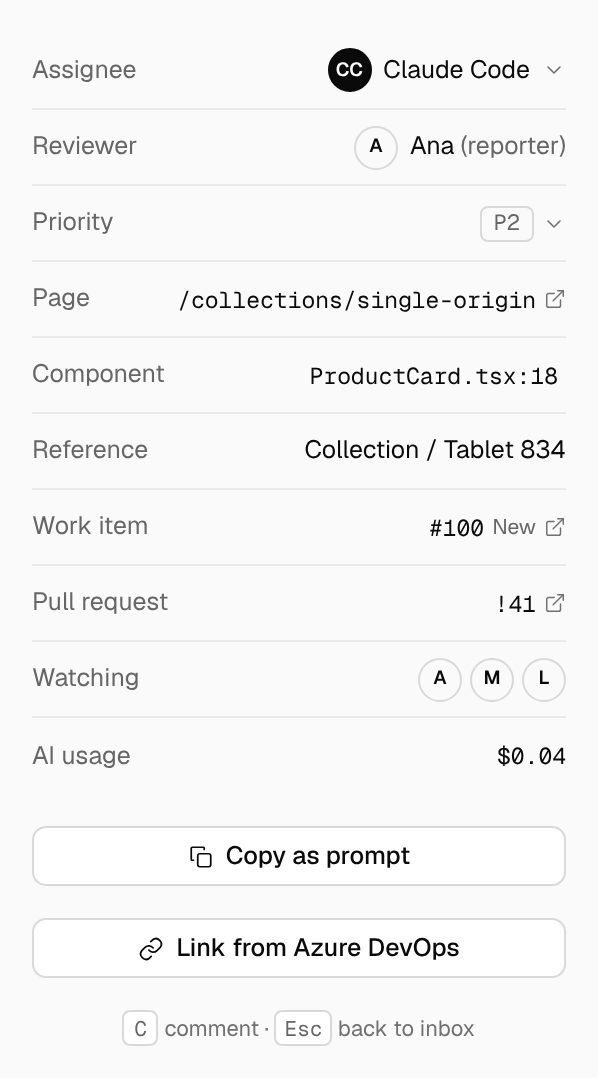
A PR is created or updated whose title, description or source branch names an item key (FB-12) | Linked on the item as !41. When an agent or developer claimed the item (With agent), it is attached as their run and the item moves to To check. Unclaimed items only get the link and a note. A draft PR links but doesn't attach. |
| The PR's status checks and build validation policies; a pipeline run on the PR finishes | Its checks show next to the PR: passing, failing or running |
| The PR is completed | A note "PR !41 was completed in Azure DevOps"; an item still being fixed moves to To check (switch Completed PR). The item still waits for someone to check it. |
| The PR is abandoned | A note |
Link on an item takes a PR link or !12 for PRs nothing named. Review agents find items by PR URL (items_for_pr), Azure links included.
Project brief: Draft from repo reads the connected repository's default branch (or the project's base branch) when GitHub isn't connected.
Agents need nothing new: put the item key in the branch name or PR title, or call attach_run with the Azure PR URL.
Nothing from the PR (title, description, branch) is copied into pinprompt: it is only matched against.
Azure Boards (optional)
| pinprompt | Azure DevOps |
|---|---|
| Create work item on an item (or, with the switch on, every agent-ready item) | A work item of the picked type, [FB-12] Title, with the spec in Description (Repro Steps for a Bug), a link back, tag pinprompt, and the screenshots and reference images attached |
| Link with a number or URL | Checked in Azure DevOps, then linked (one item per work item) |
| Spec revised | Title and description updated |
| An agent takes it (With agent) | An in-progress state (Active, In Progress, Doing or Committed) |
| Done / Won't fix / Merged | A comment, then a completed state (Closed or Done; Removed for won't fix when the type has it) |
| A person's or agent's comment | A comment "Name commented on FB-12 in pinprompt:" |
| Azure DevOps | pinprompt |
|---|---|
| State change | The link shows the state, and a line "#123 moved to Resolved in Azure DevOps by Ana" |
| Comment | On the item as "Ana Silva (Azure DevOps)", unless pinprompt posted it |
| Work item deleted | The link is marked deleted |
The same privacy rules as Jira: on an item a client reads, internal notes never go, and a client's own comments go only with Client comments on.
Security
- The token is stored encrypted with
PINPROMPT_SECRET_KEYand never shown again. - Service hook calls go to
<base>/api/hooks/azure-devops/<integration id>with Basic auth (pinpromptand a secret pinprompt generated for this connection). Anything else gets 401. Calls are replay-guarded and act only on the connected project and repository. - In production, pinprompt refuses to send the token to private network addresses.
Disconnecting
Disconnect forgets the token. Work items and PRs stay in Azure DevOps and items keep their links. Remove pinprompt's service hooks in Project settings → Service hooks; until then they get 401 and Azure DevOps turns them off.
Not built yet
- Claude fix rounds on Azure Repos. Fix rounds run only on GitHub (and haven't run live there either). On Azure they would need to check out through the token, push the round's branch and create the PR over the Git REST API.
- Microsoft Entra ID sign-in instead of a personal access token.
- Preview deployments from Azure (GitHub reads Vercel and Netlify previews; Azure PRs don't get one yet).