Fix rounds (optional add-on)
Fix rounds Experimental
Pin as usual, press Submit review, and Claude fixes all your pins in one run with one pull request. People still merge and sign off.
A fix round turns a whole review into one piece of agent work. You pin as usual; when you're done, Submit review sends all your open pins to Claude at once.
Fix rounds are switched off on every project until its owner turns them on (Turn on fix rounds). Fix rounds are experimental: the Claude run has so far only been tested as a simulation, so try one on a test repository first.
- 1 · ReviewerSubmit reviewAll your open pins go as one round, from the inbox or the extension.
- 2 · pinpromptSortFixable, needs a decision, open question, duplicate. Only fixable pins go to Claude.
- 3 · ClaudeFix by groupPins grouped by file or page. Claude hands back each group's files; pinprompt commits them on the round's branch.
- 4 · pinpromptOne pull requestOpened at the end and linked on every fixed pin. A person merges.
- 5 · ReporterCheckEach fixed pin moves to To check with what Claude changed.
The screenshots on this page come from the demo shop with the simulated runner, which walks the groups and changes nothing. That is why the summaries say "Simulated fix" and no commit is linked yet.
Start a round
- From the inbox: Submit review sits next to Filter, with the number of your open pins.
- From the page: the extension's toolbar shows Submit (extension 0.2.0 or later).
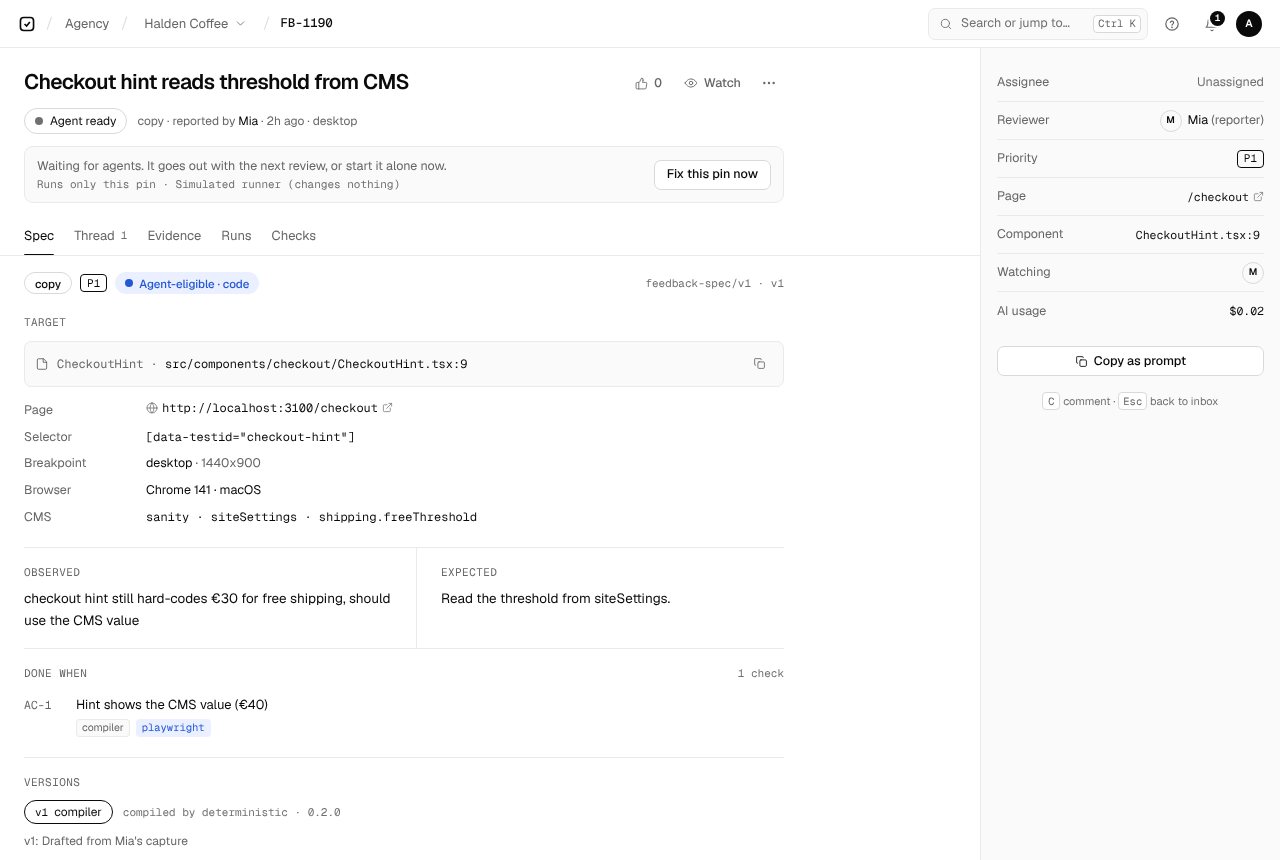
- One pin: Fix this pin now on an agent-ready item runs a round for just that pin.
Only the roles the owner allowed see these buttons, and the server refuses everyone else. A pin that a developer's own agent has claimed or been given stays with that agent: Submit leaves it out, and Fix this pin now asks you to unassign it first.
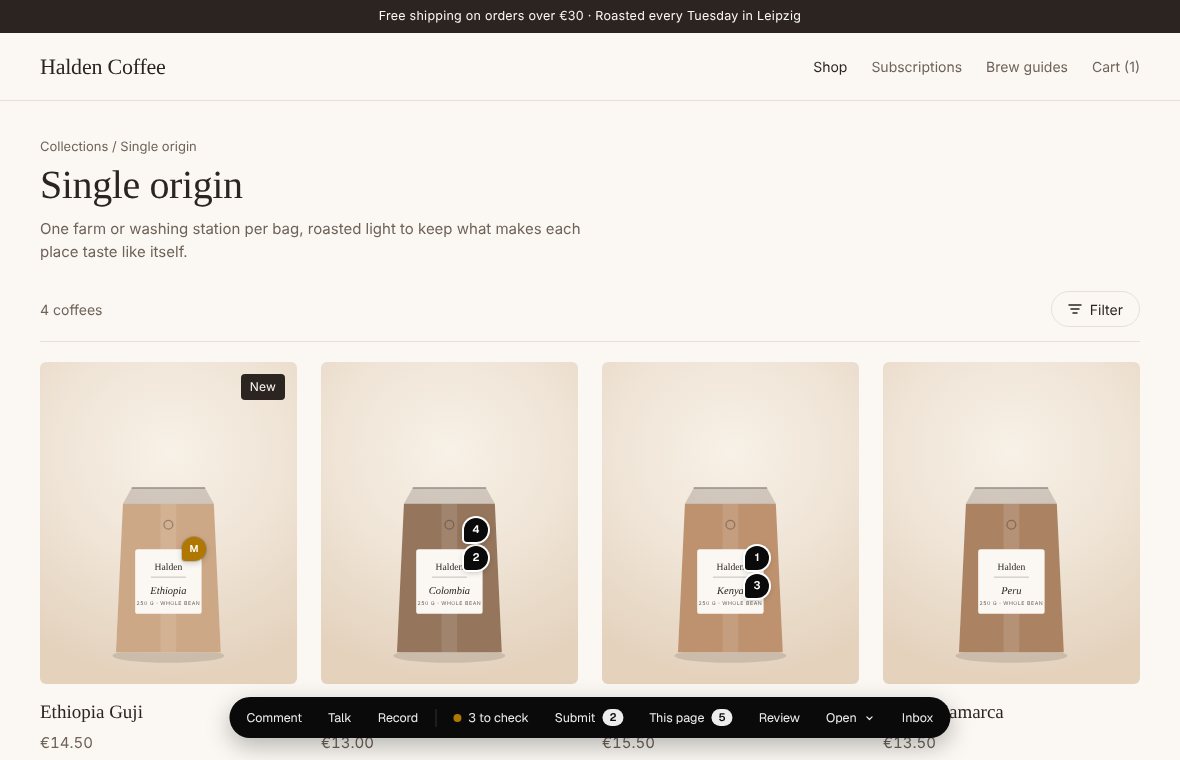
While it runs
A one-line strip above the inbox says what the round is doing: sorting, waiting for approval, or fixing ("2 of 3 groups done"), with Stop for the person who started it and the spend against the cap for the team. Details opens the round in full in a drawer on the right: the steps, each group and its pins, and older rounds folded below. Pins on the page update by themselves.

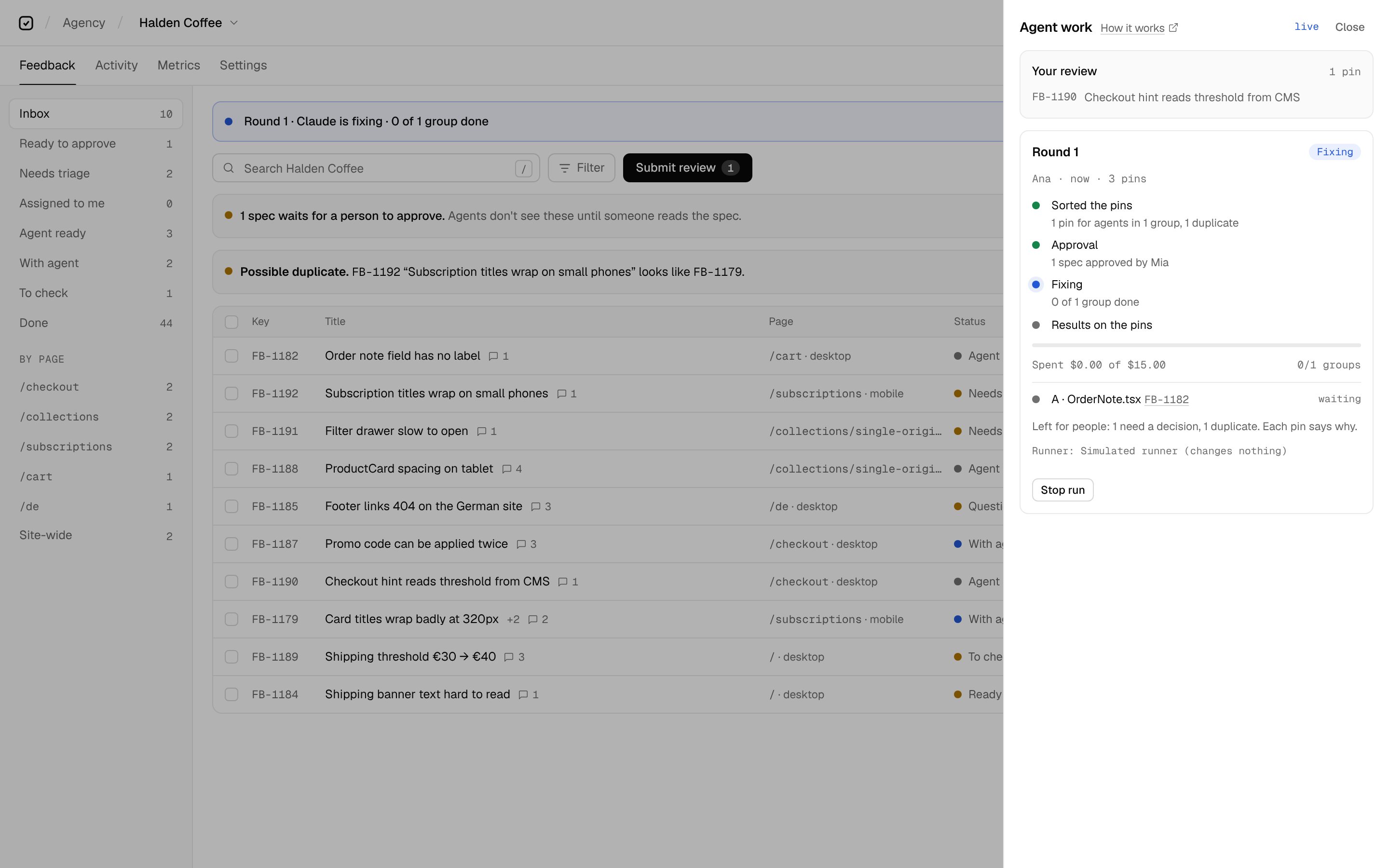
How each pin is sorted before Claude starts:
| Pin | What happens |
|---|---|
| Fixable | Joins a group (same file, or same page for content). Claude fixes the group in one commit, and the pin moves to To check with a one-line summary |
| Needs a person to decide | Stays with people, with the reason on the pin |
| Has an open question | Goes back to its reporter as a question (below) |
| Looks like a duplicate | Left for people to merge or send on its own |
If Claude can't fix a group safely, it hands the pins back to people with the reason.
Questions back to you
When a pin needs an answer, it moves to Question and its reporter sees it on the page: the extension's toolbar shows 1 question, the pin gets an amber ring, and the pin's thread has the question with its suggested answers as buttons, or a line to type in. Answering puts the pin back in Agent ready for the next round.
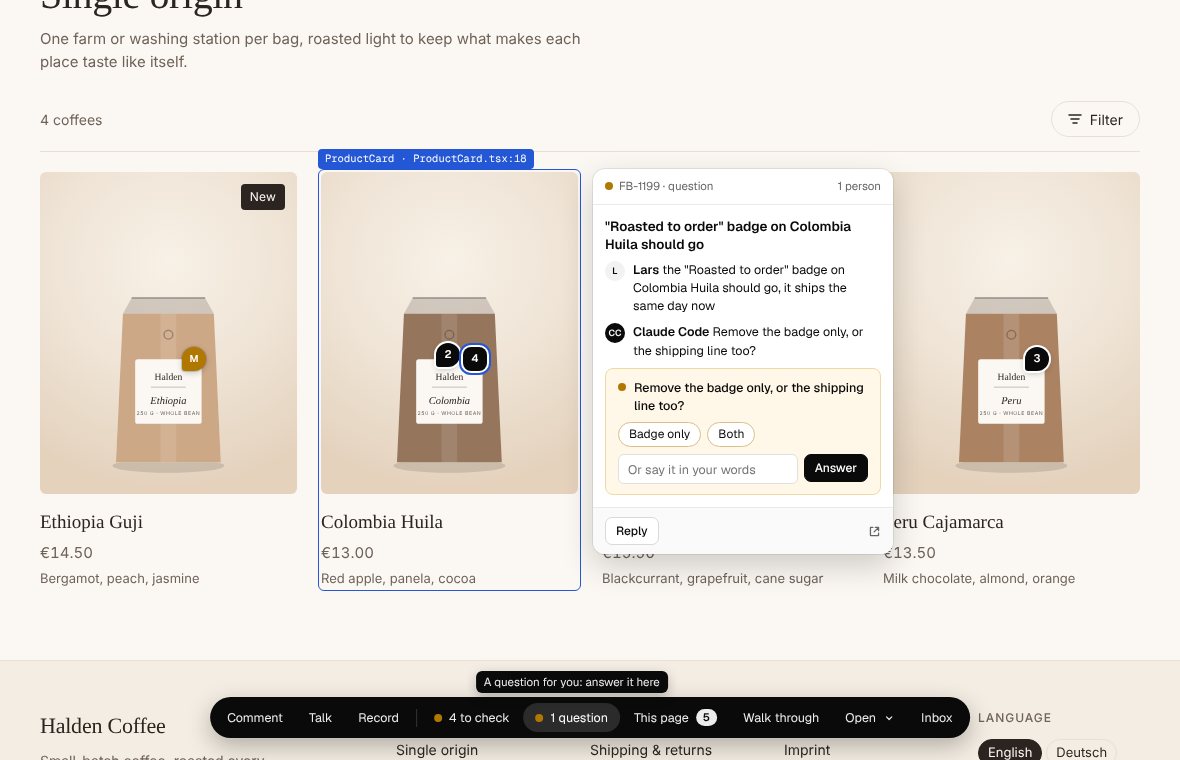
When it ends
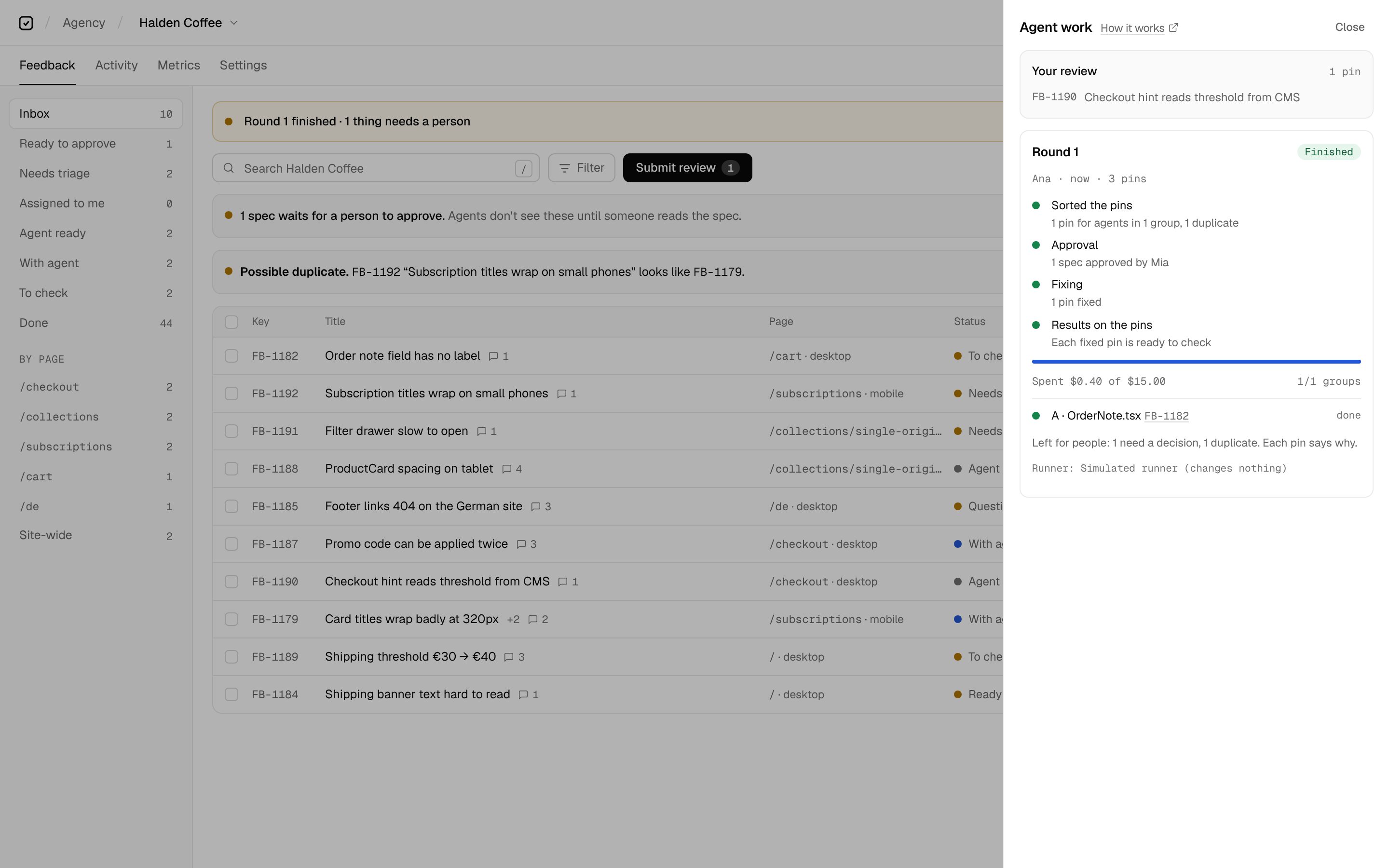
pinprompt opens one pull request from the round's own branch (pinprompt/<project key>-r<round>-<id>) and links it on every fixed pin. A person reviews and merges it as usual. Each fixed pin waits in To check for its reporter, and the strip says how many things need a person, with a Check link per pin.
On each fixed pin, the Runs tab shows what the round changed: Claude's summary, the commit, a link to the diff and the pull request, the preview when there is one, and the automated checks.

Who hears about it
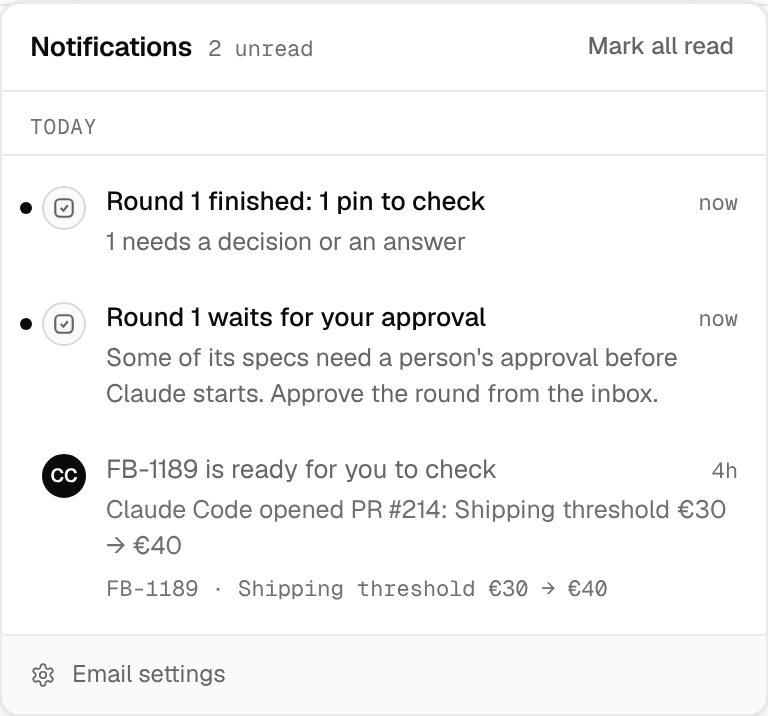
The bell (and the email digest, for people who get email) tells:
| When | Who |
|---|---|
| A round waits for approval (a designer's or QA's specs) | Developers, PMs and owners who may run rounds, except the person who submitted |
| A round finishes | The person who submitted it and the owners, with how many pins wait to be checked and how many need a decision or an answer |
| A round fails or stops at its cap | The same people, with the reason |
Clients never get round notices.
Fix this pin now
For a single urgent pin. Same steps, a smaller cap ($3 by default), and its own pull request.
What it never does
Claude never merges, never pushes (its checkout is read-only; pinprompt writes each group's commit on the round's own branch and no other), never opens the pull request itself, and never marks anything done. The GitHub token never enters Claude's sandbox.
Setup, and the Check setup button that tests it, is in Turn on fix rounds.